Imagine you’re packing for a family trip and you start to wonder: Can you travel with your Owlet camera? This question might pop into your mind as you think about how to keep an eye on your little one while away from home.
The Owlet camera, known for its reliability and convenience, offers peace of mind to parents worldwide. But how portable is it really? You will discover the practicalities of bringing your Owlet camera on your travels. We’ll cover everything you need to know to ensure your trip is as smooth and stress-free as possible.
Stick around, and find out how your Owlet can become your travel buddy, offering that comforting sense of security wherever you go.

Credit: www.amazon.com
Traveling With Owlet Camera
Traveling with your baby can be easier with the right tools. The Owlet Camera helps parents watch their baby even when away from home.
This guide explains how to travel with the Owlet Camera and what to expect.
Portability And Size
The Owlet Camera is compact and lightweight. Its small size makes it easy to pack in a diaper bag or carry-on luggage.
It fits well on most surfaces in hotel rooms or relatives’ homes. You can set it up quickly and move it as needed.
Battery Life On The Go
The Owlet Camera needs to be plugged into power to work. It does not have a built-in battery for long use without charging.
When traveling, bring the camera’s power adapter. You may also want a portable power bank to keep it running if outlets are limited.
- Camera requires constant power
- Use power adapter included in the box
- Portable power banks can help in some cases
Connectivity Requirements
The Owlet Camera connects to your phone through Wi-Fi. A stable internet connection is needed for live video and alerts.
When traveling, check the internet speed and Wi-Fi stability. Some places may have weak or no Wi-Fi, which affects camera use.
- Requires reliable Wi-Fi connection
- Slow Wi-Fi may cause video lag
- Test internet before relying on the camera
Credit: owletcare.com
Packing Tips For Parents
Traveling with your baby means bringing important gear. The Owlet Camera helps watch your baby. Packing it right keeps it safe and working well.
Plan what to bring for the Owlet Camera. This makes your trip easier and less stressful.
Protective Cases And Accessories
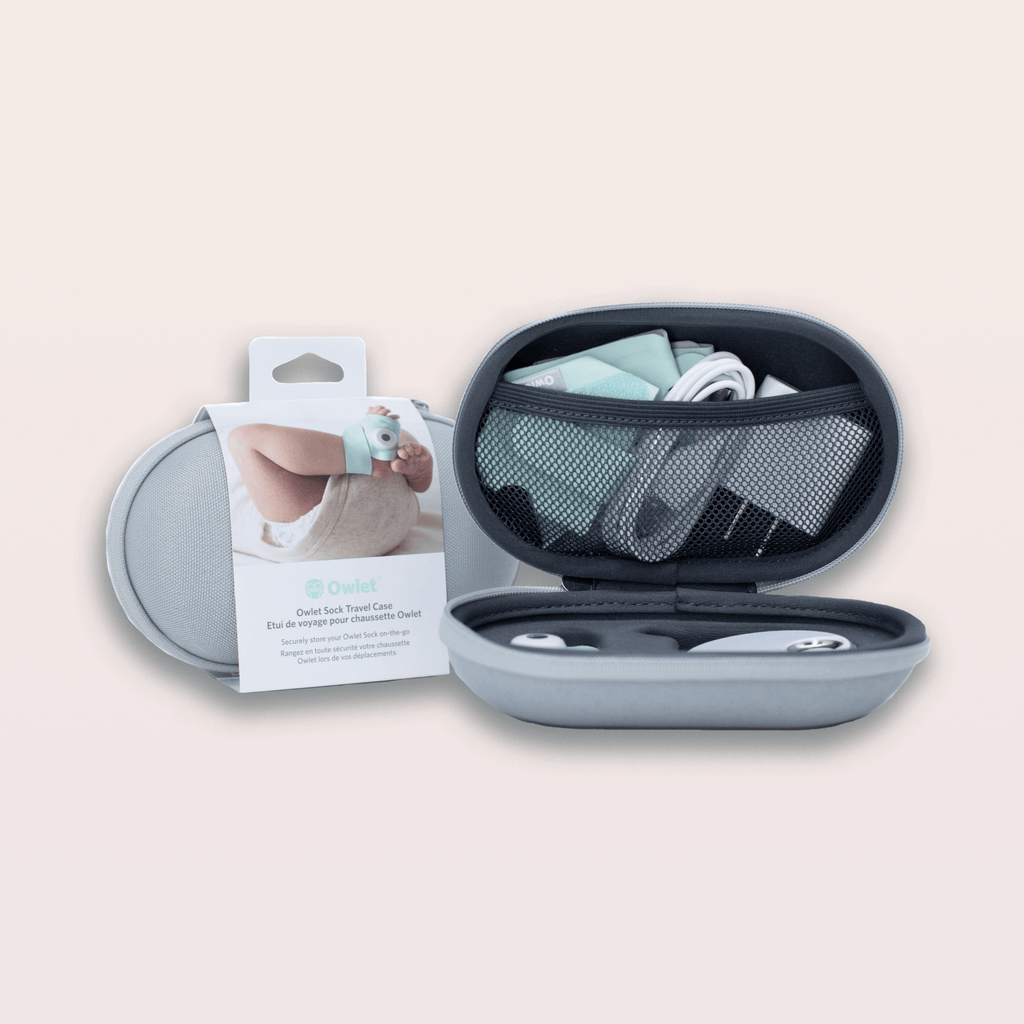
Use a protective case to avoid damage to the Owlet Camera. Cases stop scratches and bumps during travel. Some cases also hold small accessories.
- Choose a hard shell case for strong protection
- Soft cases protect from dust and minor bumps
- Look for cases with compartments for cords and adapters
- Use a small pouch for extra lenses or mounts
Charging Solutions
Keep the Owlet Camera charged during travel. Bring the original charger and extra cables. Portable power banks help when outlets are not nearby.
- Pack the Owlet Camera charger and USB cables
- Bring a power bank with enough capacity for multiple charges
- Use a travel adapter if going to a different country
- Charge the camera fully before leaving
Spare Parts To Carry
Carry spare parts for quick fixes. Small parts can break or get lost. Having extras avoids problems while away from home.
- Extra charging cables
- Replacement mounts or clips
- Additional power adapters
- Spare batteries if the model uses them
Setting Up Away From Home
Traveling with your Owlet camera can keep your baby safe in new places. It takes some changes to set it up away from home.
Knowing how to connect the camera and place it right is key. You may also need to adjust settings for different environments.
Wi-fi Setup In New Locations
Each new location needs a Wi-Fi connection for the Owlet camera to work. Connect the camera to the local network using the app.
If the Wi-Fi is weak, try moving closer to the router or use a Wi-Fi extender. Make sure the network is secure to protect your data.
- Open the Owlet app and go to Wi-Fi settings
- Select the new Wi-Fi network
- Enter the password carefully
- Wait for the camera to connect before moving it
Camera Placement For Safety
Place the camera where it can see your baby clearly. Avoid spots that get direct sunlight or are too dark.
Keep the camera out of reach from children and away from cords. Make sure it is stable and cannot fall easily.
- Position the camera 3 to 6 feet above the crib
- Face the lens toward the baby’s head and torso
- Avoid placing near windows or bright lights
- Secure the camera on a flat surface or mount
Adjusting Settings On The Road
Settings may need changes depending on the room size and lighting. Check the video quality and sound alerts in the app.
You can change the volume, brightness, and alert preferences easily. Make sure the camera runs on a reliable power source.
- Test sound alerts to hear clearly in the new room
- Adjust brightness for clear video day and night
- Set alert types based on your needs
- Use a surge protector if the power is unstable
Travel Safety And Regulations
Traveling with an Owlet camera can raise questions about safety and rules. It is important to know the guidelines before you go.
This guide helps you understand airport security, international travel, and customs inspections for your Owlet camera.
Airport Security Guidelines
The Owlet camera is allowed in carry-on and checked luggage. You should pack it safely to avoid damage.
Security officers may ask you to remove the camera from its case for inspection. Be ready to show the device clearly.
- Keep the camera accessible in your bag
- Remove batteries if requested by security
- Follow TSA or local airport instructions
International Travel Considerations
Different countries have different rules for electronic devices. Check the rules before you travel with an Owlet camera.
Some countries limit wireless devices or have special restrictions on baby monitors. Know the laws to avoid problems.
- Research local electronics rules at your destination
- Turn off wireless features if required
- Carry user manuals or proof of purchase
Handling Customs And Inspections
Customs officers may inspect your Owlet camera when entering a country. Be honest and clear about the device’s purpose.
Keep the camera and accessories organized to speed up the inspection process. Carry receipts to prove ownership.
- Declare the camera if asked by customs
- Show purchase receipts if available
- Answer questions calmly and clearly
Alternatives When Owlet Isn’t Feasible
Traveling with an Owlet camera can be tricky due to size and power needs. Some places may not support its use well.
Luckily, there are other ways to keep an eye on your baby when Owlet is not an option.
Portable Baby Monitors
Portable baby monitors are small devices that you can carry easily. They often have video and audio features.
These monitors use their own batteries and do not need Wi-Fi, making them good for travel.
- Lightweight and easy to pack
- Long battery life for extended use
- Clear sound and video quality
- Some models include temperature sensors
Smartphone Apps For Monitoring
You can use smartphone apps to watch your baby through your phone. Many apps turn a phone or tablet into a monitor.
These apps work with Wi-Fi or mobile data. They allow you to check your baby from anywhere.
- Use old phones as baby cameras
- Receive alerts on sound or movement
- Some apps offer video recording
- Easy to set up and use
Using Traditional Methods
Traditional methods can also help when technology fails or is not allowed. Simple ways can keep your baby safe.
These include listening closely or placing the crib nearby so you can see your baby often.
- Keep baby’s room close to your sleeping area
- Use a baby alarm that sounds with noise
- Check on your baby regularly in person
- Use clear sightlines to the crib
Credit: anclasmall.com
Frequently Asked Questions
Can You Take An Owlet Camera On A Plane?
Yes, you can take an Owlet Camera on a plane. It is compact and battery-powered, making it travel-friendly. However, always check airline regulations for electronic devices before flying.
Does Owlet Camera Work Internationally?
Owlet Camera works internationally where Wi-Fi is available. You may need to check compatibility with local power adapters and network settings for smooth use.
How To Keep Owlet Camera Charged While Traveling?
Use a portable power bank or car charger to keep the Owlet Camera charged. Ensure you have the correct adapters for your destination.
Is Owlet Camera Easy To Set Up On The Go?
Yes, Owlet Camera is easy to set up while traveling. It connects quickly to Wi-Fi and the Owlet app for instant use wherever you are.
Conclusion
Traveling with the Owlet Camera is possible and practical. It helps you watch your baby from anywhere. Just check the battery and Wi-Fi before leaving. The camera is light and easy to carry. It fits well in your travel bag.
You get peace of mind while on the go. Keep your baby safe and close, even far away. Owlet Camera supports your family’s travel needs smoothly. It’s a smart choice for parents who travel often. Safe travels and happy monitoring!